WhoTookIt™ Text Messaging Terms
Program: WhoTookIt notifications, operated by Allied Inc. WhoTookIt is an app that groups use to keep track of shared items and who has borrowed them.
What you'll receive
Transactional text messages about items you lend and borrow in your WhoTookIt groups:
- when someone borrows or returns one of your items;
- reminders when something you borrowed is due back or overdue;
- if you choose, when new items are added to your groups.
We never send marketing or promotional messages. Example: "WhoTookIt (Allied Inc): Bob Martinez borrowed your Ladder (Hilltop Convenience). It's due back Tue, Oct 14. Reply STOP to opt out."
How to opt in
Text messages are off unless you turn them on yourself:
- Sign in to the WhoTookIt app.
- Open Settings → Notifications → Text messages.
- Enter your own US mobile number and confirm it with the code we text to it.
- Turn on Text me.
Next to the switch the app shows: "By turning this on you agree to receive text messages from WhoTookIt (Allied Inc) about items you lend and borrow. Message frequency varies. Msg & data rates may apply. Reply STOP to opt out, HELP for help. Privacy policy: www.alliedinc.us/privacy."
The switch is never turned on by default, opting in is not required to use WhoTookIt, and no one can opt in another person. We record the date and time you opted in. After you opt in you receive a confirmation text.
The opt-in screen in the app
The form is inside the WhoTookIt app, after signing in. These screenshots show it (personal details hidden):
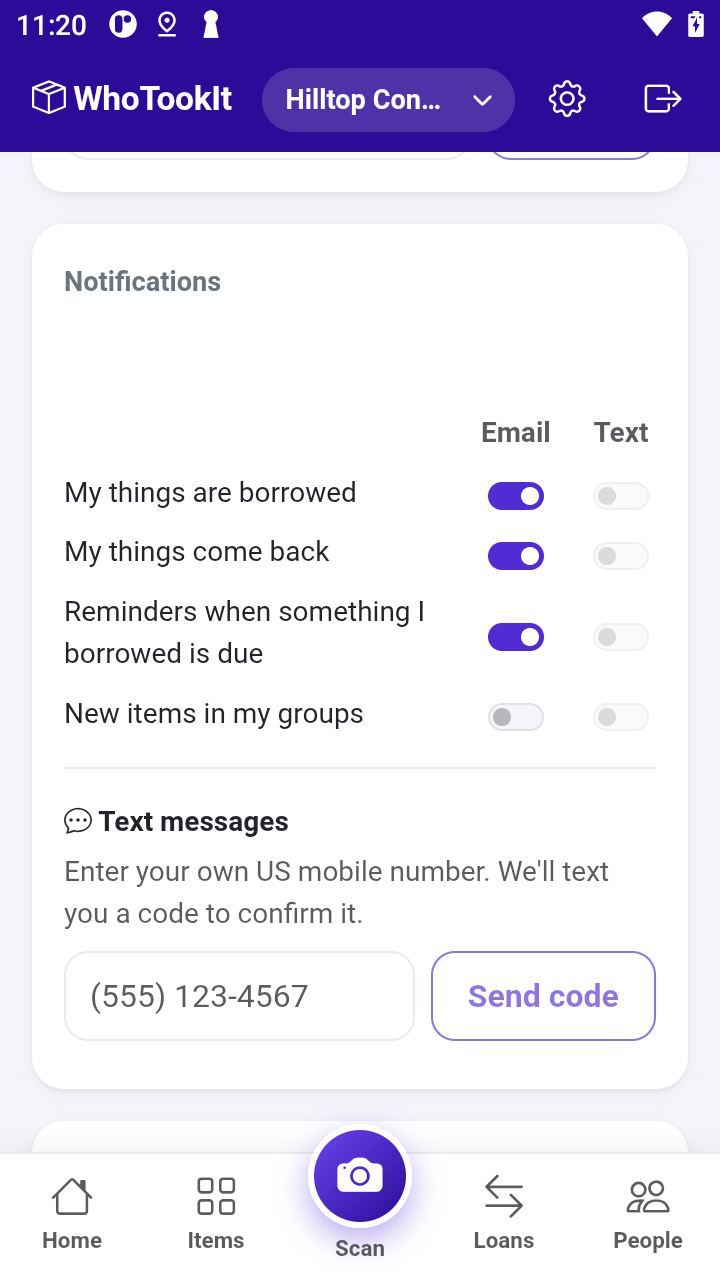
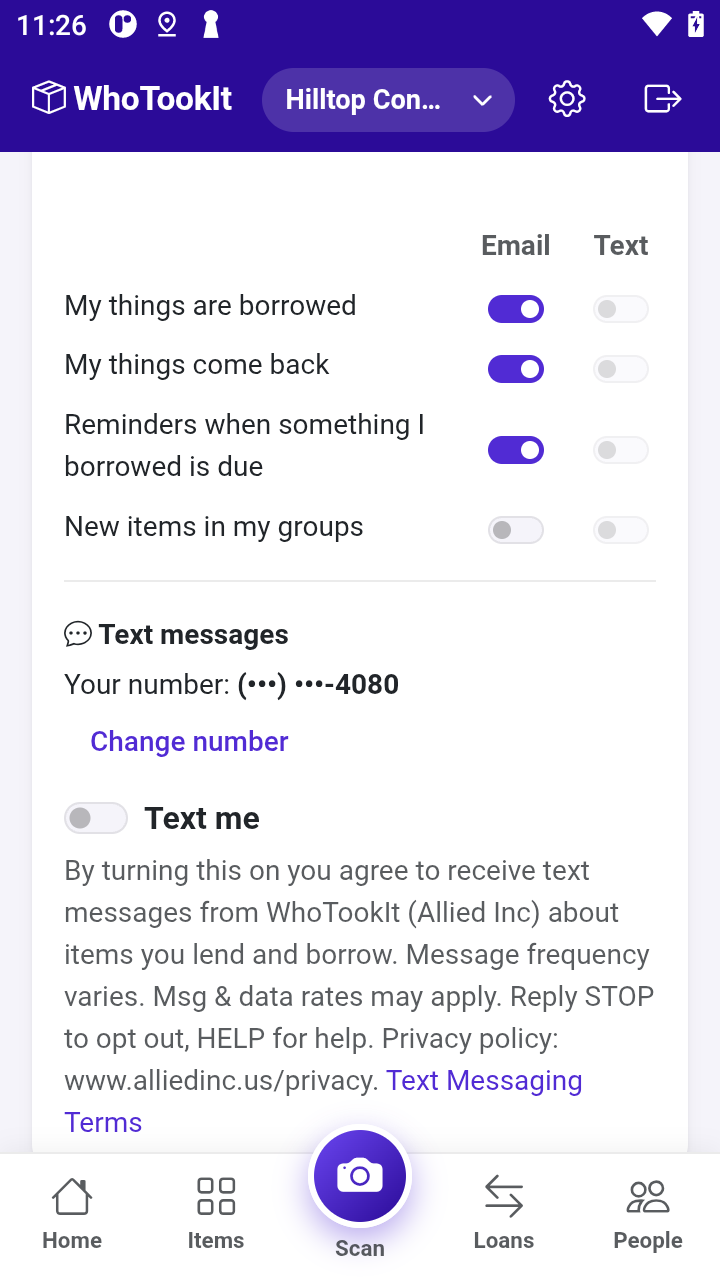
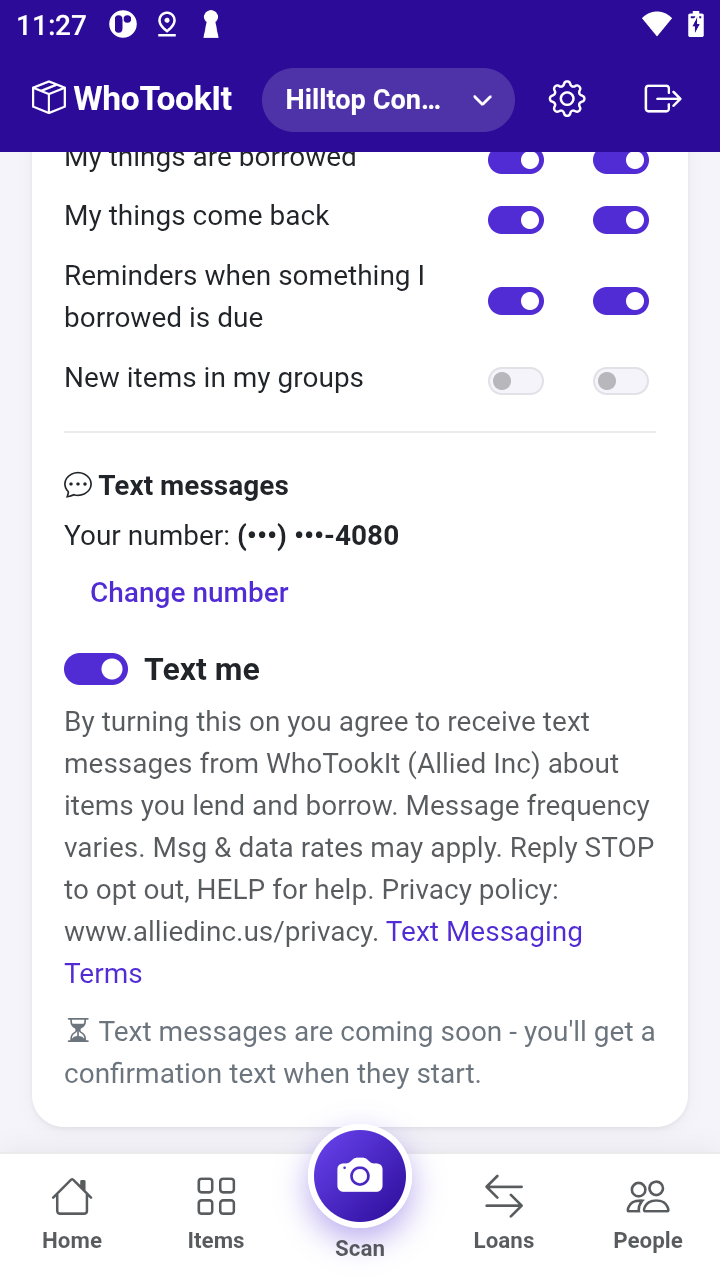
Right after opting in you receive this confirmation text: "WhoTookIt (Allied Inc): You're signed up for texts about items you lend and borrow. Msg frequency varies. Msg & data rates may apply. Reply HELP for help, STOP to opt out."
Message frequency and cost
Message frequency varies with activity in your groups, typically a few messages a week. Message and data rates may apply.
How to opt out
Reply STOP to any message, or turn off Text me in Settings. You'll receive one confirmation text and no further messages. Reply START to resubscribe.
Help
Reply HELP to any message, or email jktieman@alliedinc.us.
Carriers
Mobile carriers are not liable for delayed or undelivered messages.
Privacy
We do not share mobile phone numbers or text-messaging opt-in data and consent with third parties or affiliates for marketing or promotional purposes. See the WhoTookIt Privacy Policy.